Using Your Patient Portal – Manage My Health
Quickly navigate to the following sections:
- You Already Have a Manage My Health Account – for example with another GP or Health Centre
- You Are Registering with Manage My Health for the First Time
- Using Manage My Health to Connect to Dr Cindy de Villiers
The Manage My Health (MMH) platform is shared with NZD Holistic Health Collective, an online clinic co-managed by Dr Cindy de Villiers. While you may see NZD Holistic Health Collective mentioned in MMH documentation, this is intentional. However, it’s important to note that your medical information remains confidential, as other staff and doctors at NZD Holistic Health Collective do not have access to your health records.
To learn how to connect with Cindy, access your results and request prescriptions, please read the “Using Manage My Health” section below. This process may be slightly different than what you are used to with your regular GP.
If You Already Have a Manage My Health Account
You may already be registered with Manage My Health through your GP or health centre, provided you have used the same email address as the one you gave us. If this is the case you can simple add another health centre.
- Login to Manage My Health
- Go to Dashboard and scroll down to My Health Centres
- Under My Health Centres click or tap on “Link to Health Centre”
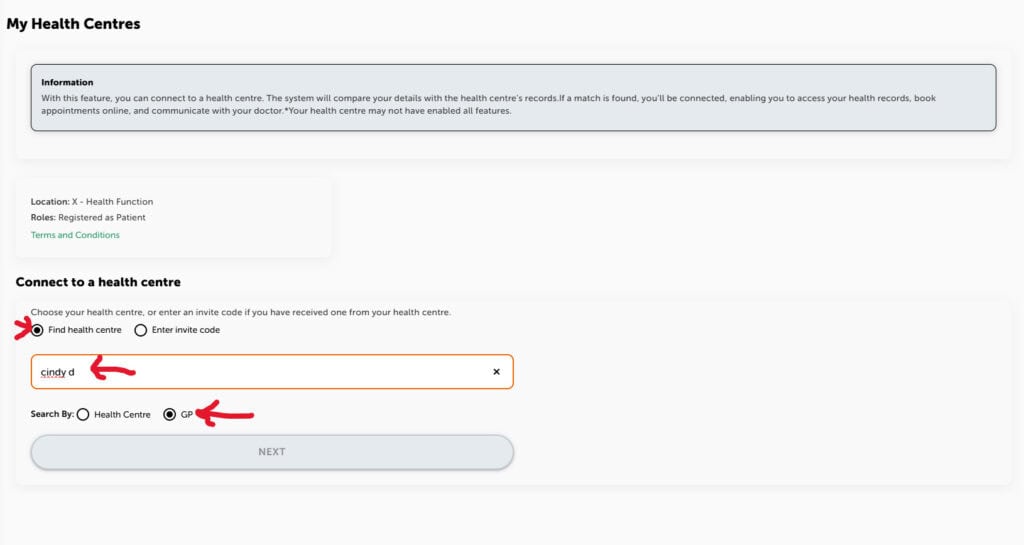
- Start typing my name in the search bar
- Make sure to select Find health centre and Search by: GP
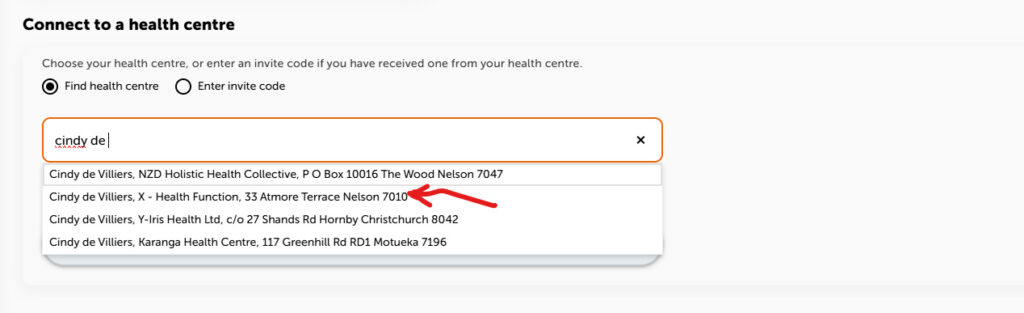
- Select Cindy de Villiers, X-Healthfunction
- Follow any prompts from there.
If You Are Registering with Manage My Health for the First Time
- You will receive an email from Manage My Health
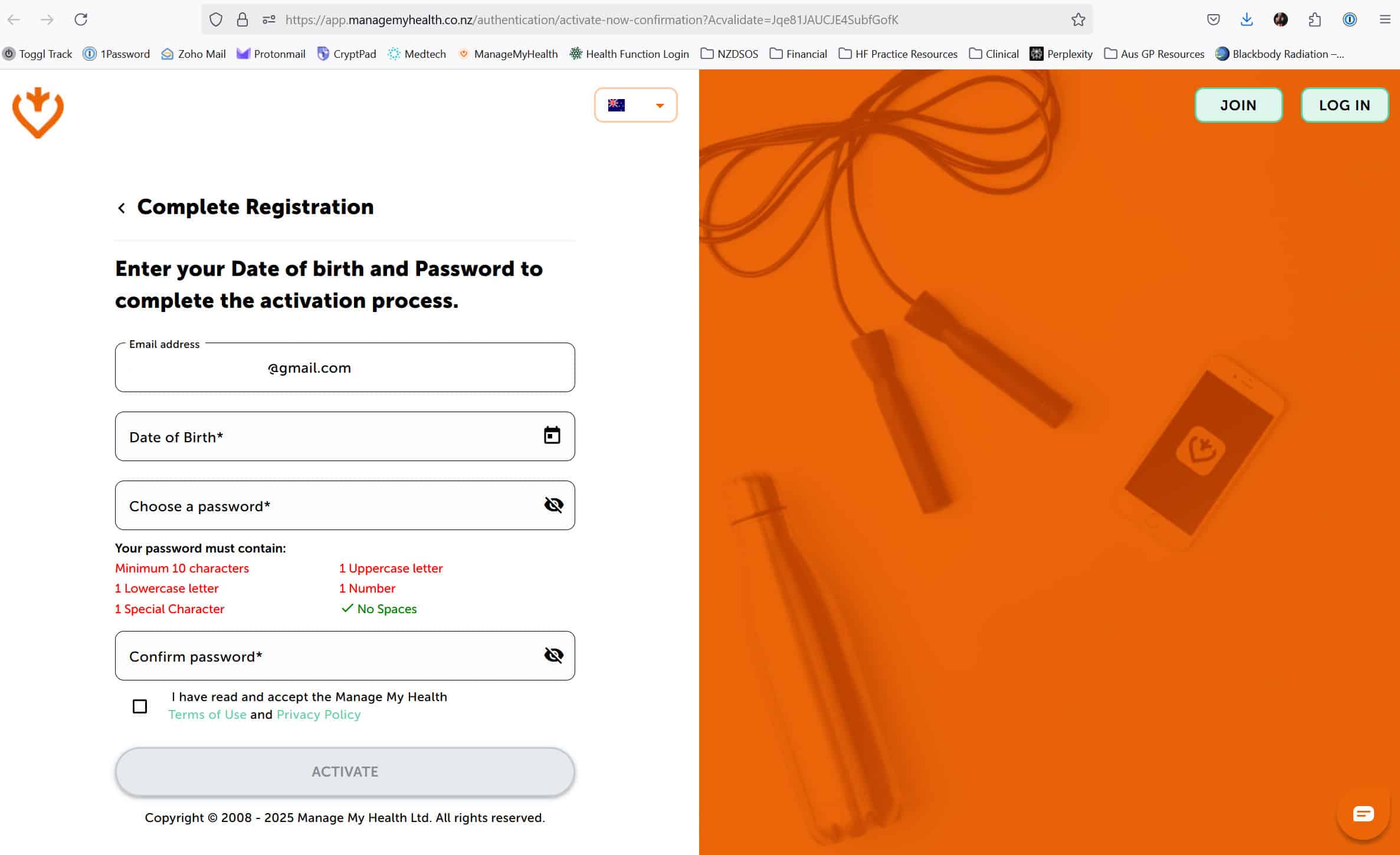
- Click on the link to set your password
- Enter your date of birth and select a password
- You’re in!
Using Manage My Health
With Manage My Health you enjoy convenient access to your lab results and appointment details, request repeat prescriptions and communicate directly with Cindy via secure messaging. You can even send documents and images.
To ensure a relaxed and unhurried experience, appointments are carefully scheduled and cannot be made from your Dashboard. Please request appointments by messaging Cindy.
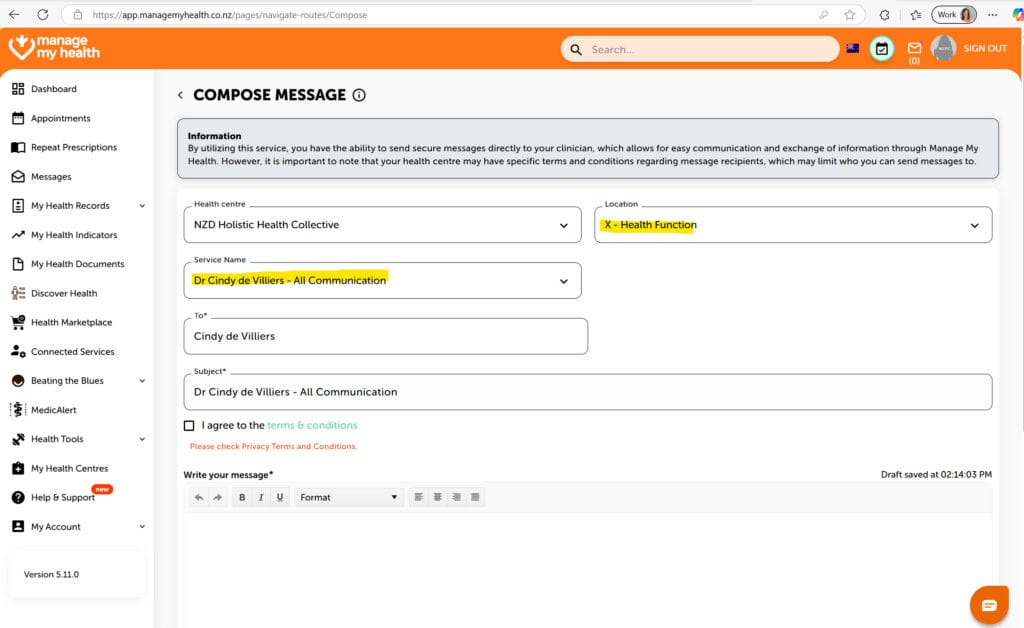
Here’s how to use the Messaging Feature:
- Click / Tap Messages
- Click / Tap Compose Message
- On the right hand side of the screen in the Location box, click/tap on the down arrow and select: X – Health Function
- In the Service Name box, select Dr Cindy de Villiers – All Communication
- Compose your message, adding a subject
- Make sure to agree to the terms and conditions
- Files can be attached if required
When Cindy messages you or replies to one of your messages, you will receive an email notification from the MMH system informing you that you have a new message and providing a link to login. Additionally, you will be alerted via email when laboratory results have been filed
